
Six Months, Four Opus Releases
What Really Changed and Which "Claude" L&D Should Be Reaching For


☕ 12-minute read
Six months ago, Claude Opus 4.5 shipped, and a lot of us in L&D treated it the way we treat most model releases. We noted it, maybe poked at it for an afternoon, and went back to whatever we were already doing.
Then 4.6 landed. Then 4.7. And as I’m writing this, 4.8 went live today. That’s four versions of the same flagship model in about as long as it takes to build one decent onboarding program.
Here’s what I keep noticing in our field. We’re so focused on keeping up that we never stop to ask the more useful question, which is not “what’s new” but “when should I reach for the expensive one.” So let me walk through what changed, why it matters for the work we do, the part most release notes skip about when Opus is the wrong choice, and the habits that save you money once you know how you’re using it.
TL;DR
Four Opus releases since November 2025 (4.5, 4.6, 4.7, 4.8) moved the model from “smart” to “plans, checks its own work, and tells you when it’s unsure.”
The biggest L&D-relevant shifts: longer reliable work sessions, self-verification, and a model that flags uncertainty instead of bluffing.
The real skill is planning in the smart model, dropping to Sonnet or Haiku to produce, and matching your tactics to how you’re working: Chat, Cowork, or Claude Code.
📊 Just how fast is this moving?
Put the four Opus releases in context. In 2025 alone, Anthropic shipped seven Claude models across six launches: Claude 3.7 Sonnet in February, Opus 4 and Sonnet 4 together in May, Opus 4.1 in August, Sonnet 4.5 in September, Haiku 4.5 in October, and Opus 4.5 in November. Then, in 2026, Opus 4.6, 4.7, and 4.8 were added in its first five months.
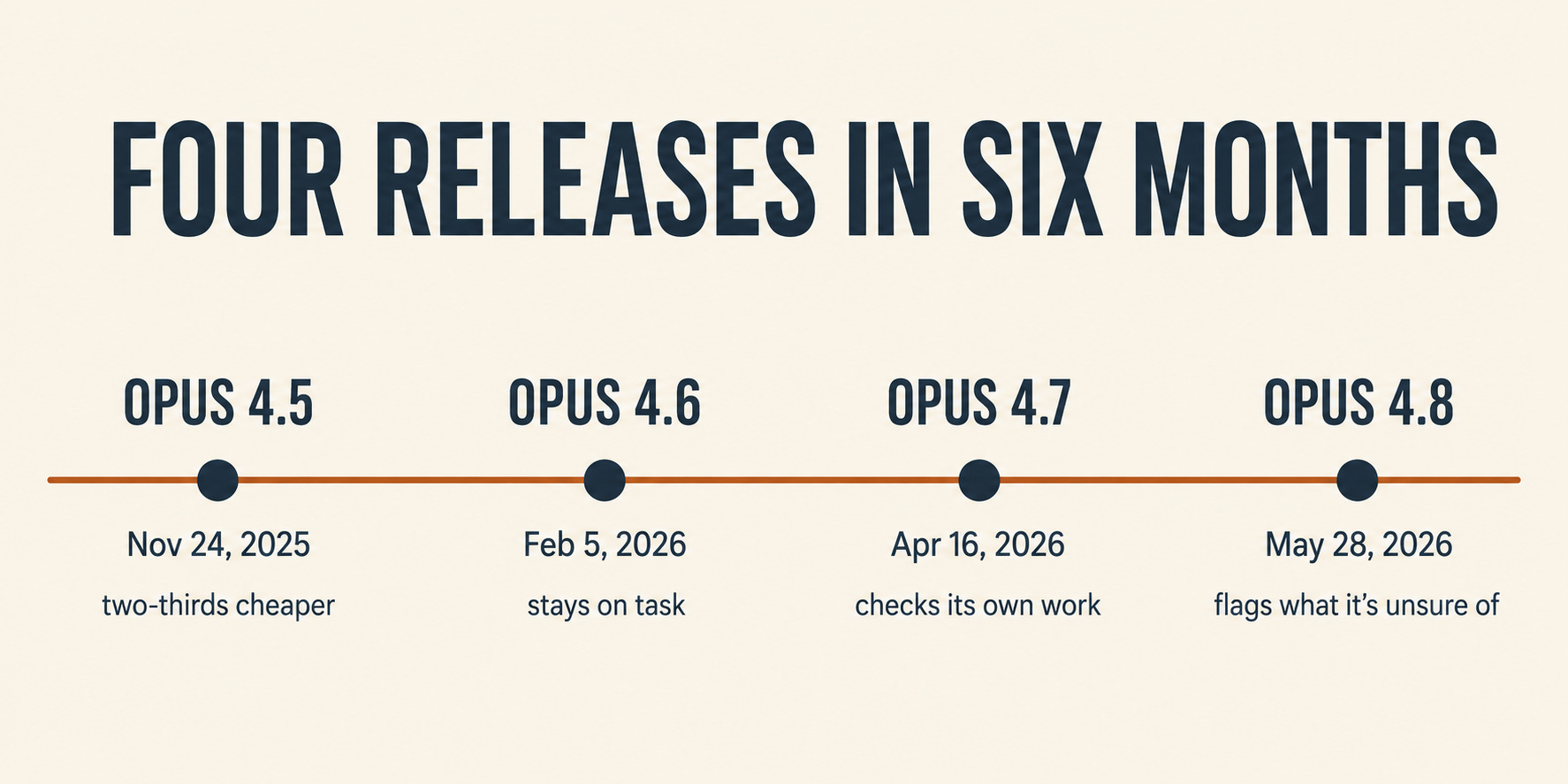
That’s a new model roughly every six to eight weeks for a year and a half. No wonder we feel behind. The point isn’t to track every release. It’s to build a habit for deciding which one to use, because that decision is the part that saves you real money and time.
📍 Where this started: Opus 4.5 in November
Opus 4.5 dropped on November 24, 2025, and the headline at the time was price. Anthropic cut costs by two-thirds compared to the older Opus 4.1, landing at $5 per million input tokens and $25 per million output tokens. For those of us who had quietly stopped using Opus because we were tired of smiling at IT and Finance, nervously hoping they’d approve payment on the bill, that mattered.
The pitch was that this was the smartest model they’d built, strong on coding, agents, and computer use. All true. But for everyday L&D work, it still felt like bringing a forklift to carry a coffee cup. Powerful, expensive, and more than most of our tasks need.
That’s the baseline. Hold it in your head, because the next three releases are really a story about the model getting better at finishing work, not just being smart about it.
🧭 Opus 4.6: It learned to stay on task
February 5, 2026. This is the release where Opus stopped sprinting and started pacing itself.
The change that matters for us: 4.6 plans more carefully, holds focus across longer tasks, and catches its own mistakes mid-stream. If you’ve ever handed a model a big job, a full course outline, a multi-week curriculum map, and watched it lose the thread halfway through and start contradicting itself, this is the fix.
It also became the first Opus model with a 1M-token context window in beta and could produce up to 128k tokens in a single output. In plain terms, you could hand it an entire program’s worth of source material and ask for a complete rebuild without chopping it into ten separate prompts. Anyone who has migrated content between systems knows how many breaks there are in those handoffs. Fewer handoffs, fewer breaks.
One more thing slipped in here that’s easy to miss: 4.6 was pitched for the work most of us do. Financial analysis, research, building docs, spreadsheets, and presentations. Not just code. That was Anthropic admitting out loud that knowledge workers, not just engineers, were living in this model.
🔍 Opus 4.7: it started checking its own work
April 16, 2026. If 4.6 was about stamina, 4.7 was about trust.
The standout behavior: it verifies its own output before it tells you it’s done. In coding, that means it writes the test, runs it, and fixes the failure before handing anything back. Translate that to our world, and it’s the difference between a model that says “here’s your assessment” and one that re-reads the assessment against your learning objectives before declaring it finished. We’ve all reviewed work from someone who never checked it themselves. 4.7 stopped being that someone.
It also became noticeably more literal in its instructions. This one’s a double-edged thing worth knowing. Prompts that worked on older models, the loose ones where you trusted the model to fill gaps, can break on 4.7 because it does exactly what you said and nothing you implied. If your AI output suddenly got weirdly literal this spring, that’s why. The fix is being more explicit in your prompts, which honestly makes us better at the craft anyway.
Two smaller notes. It added high-resolution image support, so reading dense slides, screenshots, and infographics became real rather than approximate. And it introduced a new “xhigh” effort setting for hard problems, an early version of the dial that 4.8 makes a proper feature.
The honest trade-off: 4.7 runs on a denser tokenizer, so the same text can cost roughly 1 to 1.35 times as many tokens as before, and it got a little worse at open-web research. Better at finishing the job, slightly worse at going and finding things. Worth knowing before you blame yourself for a higher bill.
✅ Opus 4.8: it learned to say “I’m not sure.”
Today. May 28, 2026. And this is the release I’d tell every L&D person to pay attention to because it fixes what actually scares us about AI.
The number that stopped me: on the internal test for “uncritically reporting flawed results,” 4.8 scored 0%. First Claude model to hit a perfect score there. It also scored perfectly on “lazy investigation,” whereas the previous model, at 4.7, still gave the wrong answer about a quarter of the time.
Sit with what that means for us. The risk in our work was never that the model couldn’t write a passable course. The risk was that it would hand us something confidently wrong, a compliance fact that didn’t check out, a citation that didn’t exist, a claim it never verified, and say nothing. A model that’s more willing to flag “I’m not certain about this part” is a model you can build a real review process around. That’s the difference between a tool you have to babysit and one you can actually delegate to.
The rest of the release is mostly about scale and control. There’s a new “dynamic workflows” feature that can run hundreds of parallel sub-agents on a single big task, which is more of a coding-team thing than a daily-driver thing for us. More useful for most of us: effort control now sits right next to the model picker, defaulting to “high,” so you can dial reasoning up or down per task. And the fast mode got three times cheaper while running at 2.5x speed. Pricing held steady at the same $ 5/$25 as in 4.7.
💡 What does this all mean?
Step back, and the six-month arc is clear. Opus went from “very smart” to “plans carefully, checks its own work, and tells you when it’s unsure.” Those last two are the ones that matter for L&D, because our problem was never raw intelligence. It was trust. We couldn’t hand off the work without rechecking every line. We’re closer to being able to now. Not all the way. Closer.
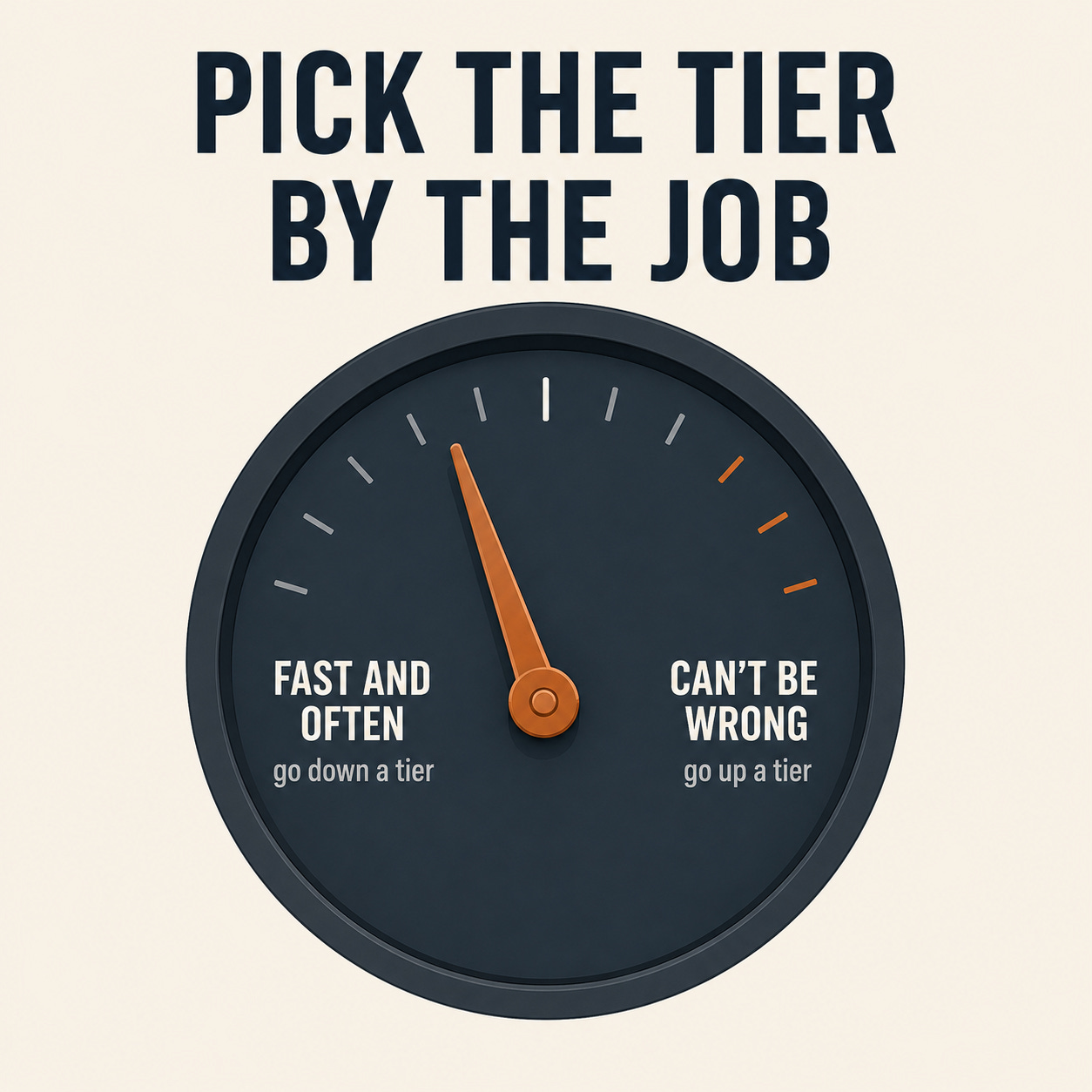
But here’s the part that the release hype never tells you. Most of your work should not be running on Opus at all.
🎯 When to reach for Opus, Sonnet, or Haiku
Think of it as three lanes, and match the lane to the job, not to your mood.
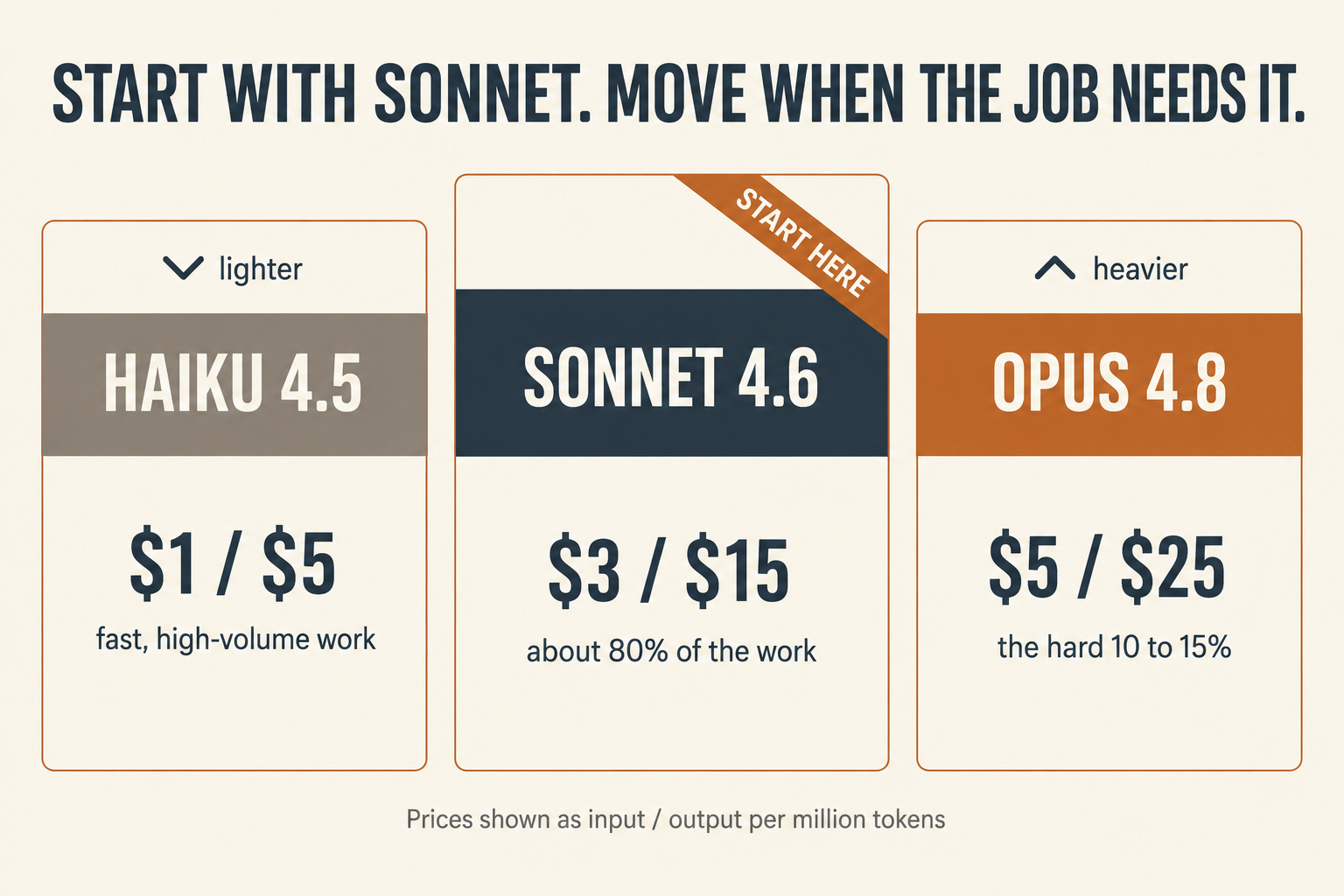
Haiku 4.5 ($1 / $5 per million tokens) is the fast, cheap workhorse, 4 to 5 times faster than the old Sonnet. Reach for it on high-volume, low-judgment work. Tagging and sorting a backlog of training requests. Pulling answers from a knowledge base for an FAQ bot. Live-summarizing a webinar. Routing tickets. Bulk-processing a pile of survey responses. If the task is “do this simple thing 500 times,” it’s Haiku.
Sonnet 4.6 ($3 / $15) is your default, and I mean that. It delivers close to Opus-level quality on most work at roughly 40% of the cost and about twice the speed, and it’s the strongest model specifically for office-task automation. First drafts of modules. Tailoring content. Building out a slide deck or a spreadsheet. Standard research. Writing assessments. If you’re reaching for Opus by reflex, stop and try Sonnet first. Most days, it’s all you need.
Opus 4.8 ($5 / $25) is for the hard 10-15%. The work where a mistake is expensive or the reasoning is truly deep. A full curriculum architecture across a complex program. A compliance build where a wrong fact has real consequences. Synthesizing five-plus messy sources into one coherent strategy. A long-running project where the model must maintain context and not drift. That’s when the premium is worth it.
The math people quote is that a three-lane approach, Haiku for volume, Sonnet for the bulk, Opus on the deep stuff, can cut your total cost by 60 to 70% versus running everything on the flagship. Even if you’re on a flat subscription and not paying per token, the same logic saves you time. The cheaper models are faster. Using Opus for a task that Haiku could do isn’t thorough. It’s just slow and expensive.
💸 How to spend less, and why it depends on how you’re using Claude
Before any tactic, one thing trips people up. The controls you have vary depending on where you’re working. Most of us touch Claude in one of three places, and each place makes them behave differently.
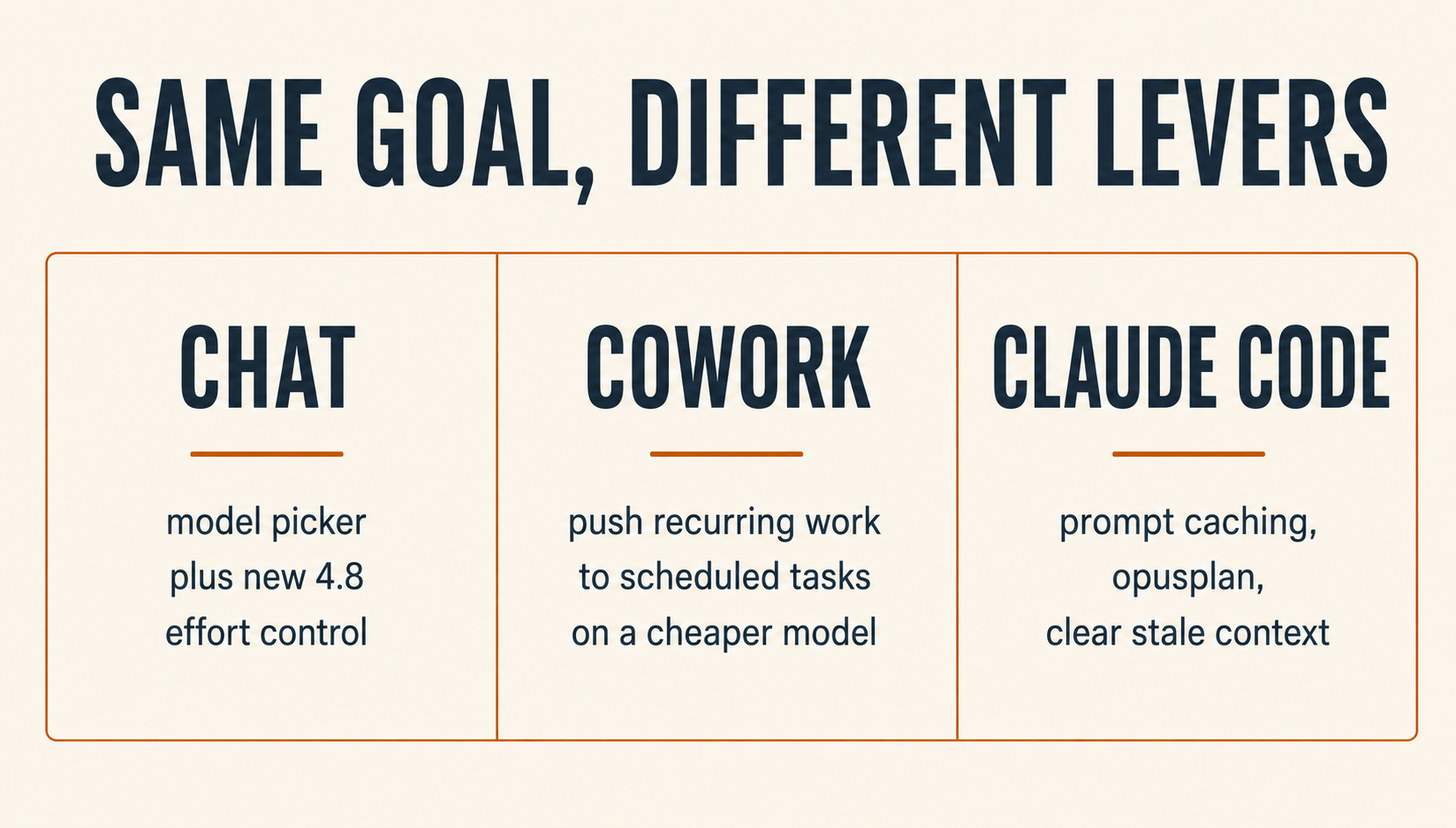
If you live in the Chat app (claude.ai or the desktop app), you’re almost certainly on a flat subscription, so “saving tokens” really means two things: not burning through your usage limit, and getting faster answers. Your main lever is the model picker. With 4.8, there’s also a new effort control sitting right next to it, which the app didn’t expose before. Drop to a lighter model or lower-effort work for routine tasks, and your limit stretches much further.
If you use Cowork for scheduled tasks, document generation, and the work you kick off and walk away from, the logic is the same as Chat, plus one big win. Anything recurring should be scheduled as a task on a cheaper model. A weekly status roll-up doesn’t need Opus thinking hard about it at 2 a.m.
If you use Claude Code, the terminal tool where you pay per token, this is where discipline turns into real dollars. A few habits matter here. Prompt caching reuses your stable setup, the system prompt, and reference docs at a fraction of the cost, so put the unchanging stuff up front where it caches. The “opusplan” setup uses Opus to plan, then automatically hands execution to Sonnet, giving you smart reasoning where it counts and a cheap model for volume. And clear the context when you switch to unrelated work, because stale history rides along in every message and quietly runs up the bill.
The through-line across all three: do your hard thinking in the expensive model, then get out of it.
🗺 Plan first, then drop down a tier
The single most useful money-saving move is also the one most of us skip. Use the expensive model to plan, the cheap model to produce.
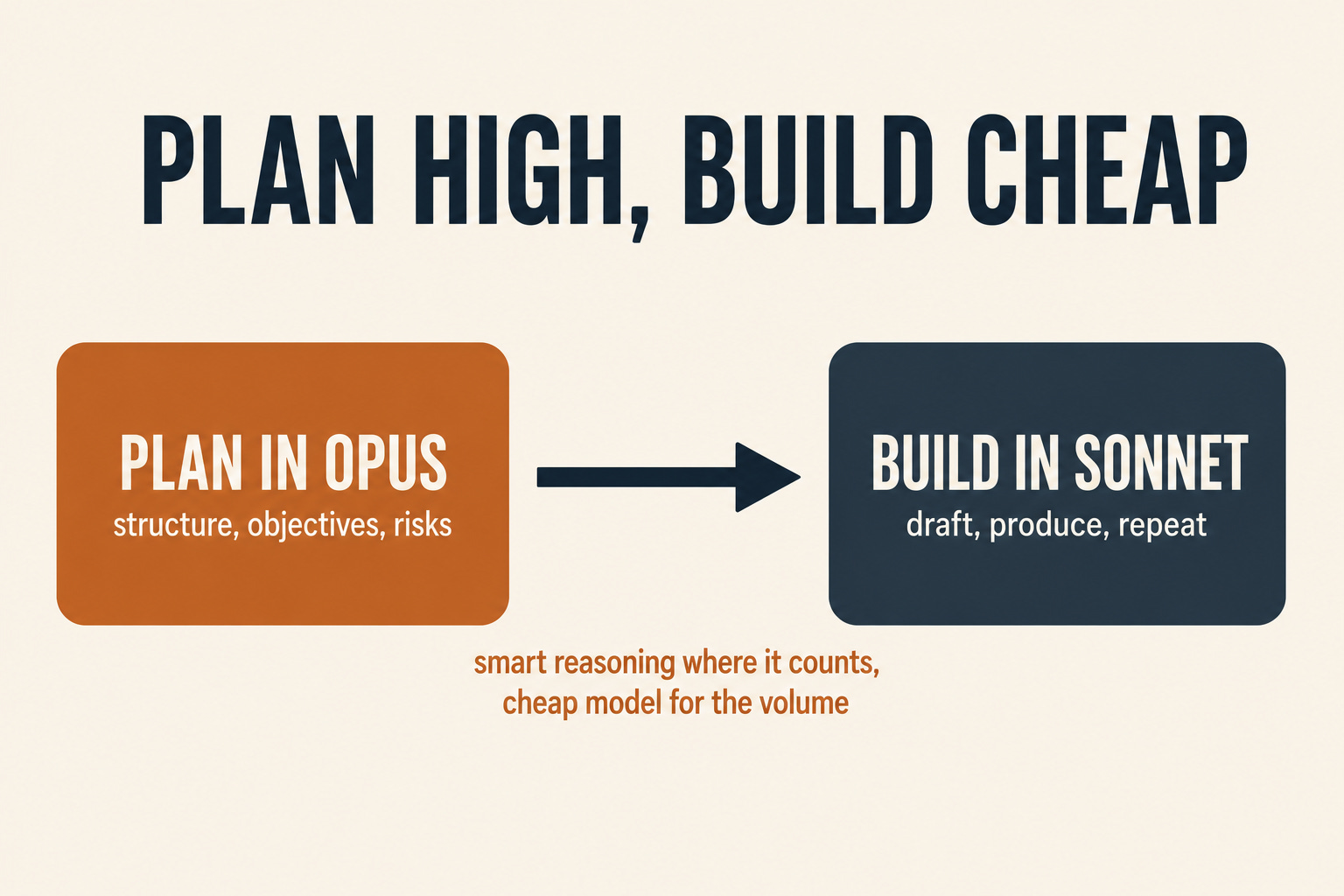
In Claude Code, this is built in. Plan mode, and the opusplan alias, let Opus map out the structure, then Sonnet writes the implementation. In the Chat app or Cowork, you do the same thing by hand. Open in Opus and ask it to think through the structure, learning objectives, risks, and outline. Then switch the model picker to Sonnet 4.6 and say, “Now draft it.” The context carries forward in the same chat, so Sonnet picks up where Opus left off, at a third of the cost and twice the speed.
Going back down is the part people forget. After the heavy lift, switch the picker back. If you’re switching to a completely different task, start a new chat so you don't drag an expensive thread behind you.
🔧 What to change in how you prompt 4.8
If your prompting habits were tuned for 4.6 or 4.7, a few things are worth updating.
Stop setting manual thinking budgets. On 4.6 and 4.7, some of us got used to telling the model exactly how much to think. 4.8 doesn’t take a manual thinking budget anymore. Instead, it decides depth on its own based on the effort level you pick. So set effort, not a token count.
The default effort has changed, so check it. 4.8 defaults to “high,” a step down from the “xhigh” that Claude Code used to run by default on 4.7. High is the right balance for most of our work. For anything routine, drop to medium and you’ll barely notice the difference while spending fewer tokens. Save xhigh for truly hard reasoning.
Be literal. This carried over from 4.7, and it’s stronger now. 4.8 does what you say, not what you meant. Spell out the format, the audience, and the length. The days of a vague prompt and a lucky guess are mostly over, and honestly, our prompts are better for it.
Ask it what it’s unsure about. This is the new one, and it’s the best habit to build with 4.8. Because the model got dramatically better at flagging uncertainty, you can end a prompt with “tell me which parts you’re not confident about” and get an honest answer. For anything headed toward learners, that line is worth adding every time.
Keep prompts tight. The denser tokenizer that arrived with 4.7 is still here, so the same wall of text costs a little more than it used to. Rambling prompts cost real tokens now. Say what you need and stop.
🧑🏫 Six examples, by role
For trainers
Quick knowledge checks before a session. You’ve got a 20-slide deck and want 10 review questions by tomorrow morning. This is Sonnet 4.6 in the Chat app, or Haiku 4.5 if they’re simple recall questions. Don’t reach for Opus. Paste the deck once and ask for all ten in a single prompt, rather than asking ten separate times. Fast, cheap, done.
Turning a recorded webinar into an FAQ. After a live session, you want the top questions pulled and answered. Haiku 4.5 handles the bulk summarizing, then Sonnet 4.6 polishes the answers into something you’d send. If you run sessions weekly, make this a Cowork scheduled task so it’s waiting for you Monday morning.
For instructional designers
A SME brain-dump into a storyboard. This is the plan-then-build move in action. Open in Opus 4.8, hand it the messy notes, and have it think through learning objectives and the screen-by-screen structure. Then switch to Sonnet 4.6 and draft each screen. You paid Opus rates for the thinking, not for the typing.
Architecting a compliance curriculum. Six courses, five regulatory documents, and a pile of outdated materials to reconcile. This is the 10-15% that earns Opus a 4.8. Keep effort high, and end your prompt with “flag any requirement you’re not certain maps to a module.” That uncertainty flag is what keeps a compliance build from going wrong quietly.
For learning leaders
A build-or-buy recommendation. You’re weighing vendor evaluations against a skills gap survey and a budget number, and leadership wants a recommendation. Opus 4.8, no question. It’s deep, multi-source, and expensive to get wrong. Ask it to show you where the data conflicts and where it’s making a judgment call.
The weekly status update. Pulling a project-tracker export into a readable update for leadership. This does not need Opus. Sonnet 4.6 writes a clean narrative, and a recurring report like this belongs in a Cowork scheduled task on the cheaper model. Paying flagship rates for a status summary is the exact habit this whole piece is trying to break.
A note from someone who’s pushed this before
I’ve tried to get teams to cut back on Opus before, and here’s what surprised me. It gets a little easier each time. The first round feels like taking away the good crayons, lots of “but I like how Opus thinks.” By the second or third, people start catching themselves, reaching for Sonnet without being told, planning in the big model, and dropping down on their own. The habit builds faster than I expected. So if your first attempt at this lands flat, that’s normal. Keep going.
The one thing to try this week:
This week’s experiment: pick three recurring tasks, assign each one a lane, and on the biggest one, plan in Opus and then drop to Sonnet to build. Notice what you stop missing when you let the small model do the small work.
This kind of sorting is exactly what I’ve been wiring into the L&D AI Operating System I’m building, so “which model, which surface” becomes a default I don’t have to relitigate every morning. If you want the longer walkthrough, the free Claude and Cowork guide over at learningupgraded.com/resources takes you through the whole setup step by step.
What’s the one task you’ve been overpaying for?
—Eian